Channel Options
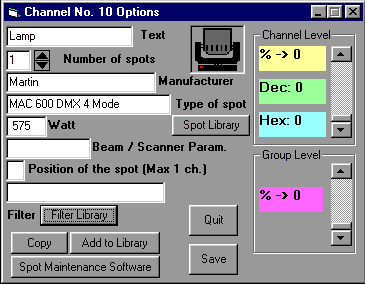
To change icon, click on the selected one.
To use ProSceniumDMX graphical functions, a Number larger than zero (this Number should correspond to the Number of installed spots in the circuit) should always be used, and a text description of the Spot should be assigned.
If further Channels need to be defined, the "copy" button may be used, specifying a Channel destination Number.
If a new type of spot not present in the library has been defined, the "Add to Library" button should be used (except when using scanners, whose use is described in a dedicated section of this manual).
The ProSceniumDMX program directory contains a Spot Maintenance Utility that allows simplified access to spot libraries.
Contents